Table of Contents
Best AI Photo Editing Tools 2026: Top Picks for Easy & Professional Editing
AI photo editing is changing the way people edit and create images. What once took complex editing skills can now be achieved with a few clicks. AI tools can automatically enhance colors, remove unwanted objects, fix backgrounds, sharpen details, and retouch portraits. This saves time and makes photo editing easier, whether you’re a beginner or a pro.
AI-powered tools are quicker and offer more automated features than traditional editing. Users can make complex changes without spending hours tweaking every detail by hand. They are also useful for social media creators, photographers, marketers, online sellers, and everyday users.
In this guide, we explore the best AI photo editing tools 2026 and what makes each one different. We’ll compare their key features, ease of use, pricing, and ideal use cases. Whether you need professional edits or quick improvements, these tools can help you create better-looking photos with less effort.
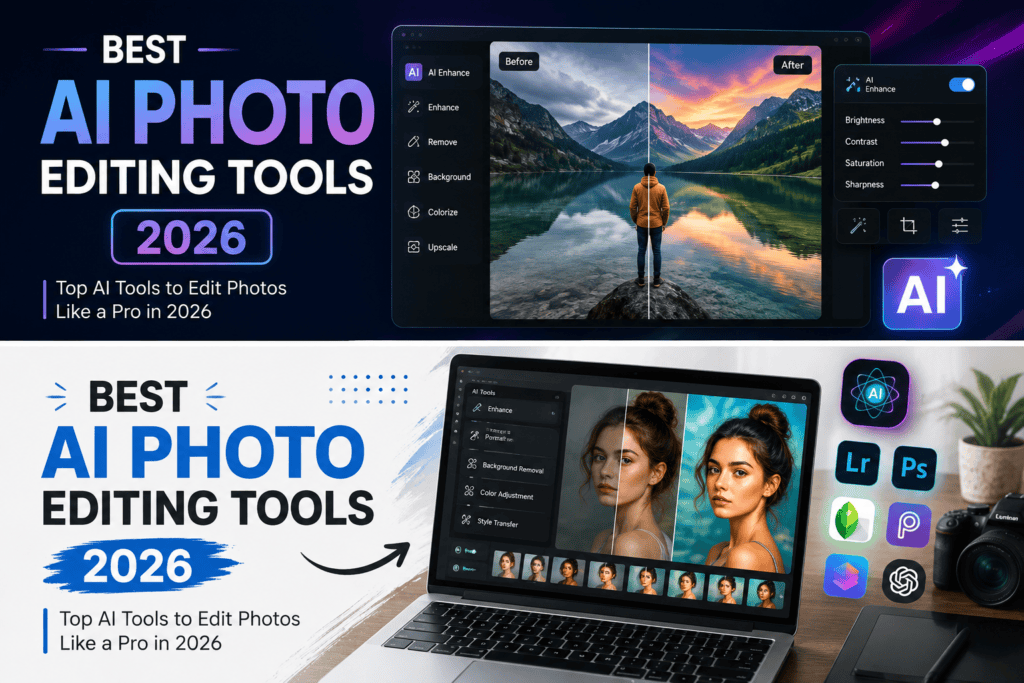
What Are the Top AI Photo Editing Tools?
AI photo editing tools are software programs that employ artificial intelligence to make photo editing faster and easier. Rather than having to manually tweak each setting, these tools can interpret an image and automatically make recommendations or apply modifications. These are great for beginners, photographers, content creators, marketers, and businesses.
How Does AI Photo Editing Work?
AI editing analyzes various aspects of a photo, including colors, objects, faces, backgrounds, and lighting. Machine learning algorithms can figure out what needs fixing and make the right changes. Some of the advanced tools can also create new elements or modify parts of an image based on a simple text prompt.
AI-Powered Features of the Best AI Photo Editing ToolS 2026
Modern AI photo editors come with several handy features that make the editing process easier:
- Background Removal: Quickly and automatically isolates the subject from the background and removes it.
- Object Removal: Detects unwanted objects and fills the area naturally to produce a cleaner image.
- Image Enhancement: Automatically enhances sharpness, lighting, colors, and overall image quality.
- Face Retouching: Improves portraits by removing blemishes, improving skin texture, and making slight changes to the face.
- Generative Editing: Users can add, replace, or change image elements with AI-generated material and text prompts.
With these capabilities, the best AI photo editing tools 2026 can perform everything from simple tweaks to more complex creative edits. They enable users to save time and create professional-looking graphics without much editing experience.
How to Choose the Best AI Photo Editing Tools 2026
1. Ease of Use
Check for a tool that has a user-friendly layout, simple controls, and beginner-friendly features.
2. AI Features
Look for useful AI features, like background removal, object removal, enhancement, retouching, and generative editing.
3. Editing Quality
The tool should produce natural-looking results and avoid the “too edited” or “too artificial” look that can be found in photos.
4. Speed and Performance
Quick processing means you can get your edits done faster, especially when working with multiple images.
5. Free vs. Paid Plans
See what features you can get for free and if the premium plans are worth the cost.
6. Export Options
Check supported formats, image quality, resolution, and watermark restrictions.
7. Privacy and Image Security
Opt for reliable tools that provide clear information on how uploaded images are stored, processed, and secured.
7 Best AI Photo Editing Tools 2026
1. Adobe Photoshop
Adobe Photoshop is still a good choice for professional photo editing. Its AI-powered features get complex edits done faster, and users stay in control. This is especially useful for designers, photographers, and power users. Photoshop, one of the best AI photo editing tools in 2026, now has AI features such as Generative Fill that can change or add things to an image with simple commands.
Key Features: Generative Fill, AI Image Editing, Remove Objects, Edit Background, Advanced Retouching.
Best for: Professional photographers, designers, and advanced users.
Pros: Powerful editing features, state-of-the-art AI, and professional-quality output.
Cons: Could be difficult for beginners to learn.
2. Canva
Canva is a good beginner-friendly option for quick photo editing and for creating visual content. Its intuitive interface democratizes AI editing for creators without deep design skills. Canva is a popular and one of the best AI photo editing tools in 2026 that works great for social media posts, marketing graphics, and everyday image editing.
AI Features: Background editing, AI-powered design tools, image enhancement, and generative features.
Best for: Social media creators, marketers, and beginners.
Pros: Easy to use, templates, and helpful design features.
Cons: Advanced AI features require a paid plan.
3. Adobe Lightroom
Adobe Lightroom is for photographers who want powerful tools for image enhancement and organization. Its AI capabilities can help remove distractions and improve photos without having to do a ton of manual editing. Lightroom’s Generative Remove can remove unwanted people and objects from busy backgrounds.
AI Features: Generative Remove, image enhancement, masking, and smart adjustments.
Best for: Photographers and people with a lot of photos to manage.
Pros: Great photo quality, with professional editing controls.
Cons: Learning the more advanced features takes time.
Pricing: Adobe Lightroom is available by subscription, with pricing depending on the plan and region.
4. Luminar Neo
Luminar Neo is a very AI-driven creative photography app. It’s a great option for users looking for professional-looking results without complicated editing workflows. Its AI tools can simplify portrait editing, sky replacement, lighting adjustments, and other creative changes.
AI Tools: AI enhancement, sky replacement, portrait touch-up, and creative adjustments.
Best for: Creative photographers and beginners.
Pros: Easy to use and offers good automation.
Cons: Some advanced features require purchase or subscription.
5. Pixlr
Pixlr is a handy online option for quick photo editing. It works on browsers and has AI tools for basic and creative edits. Its AI toolkit currently includes generative fill, background removal, object removal, image expansion, upscaling, and denoising.
AI Features: Generative Fill, Background Remover, Object Remover, Image Expand, and AI Enhancement.
Best for: Quick edits and online users.
Pros: Easy access, large AI toolkit, and inexpensive plans.
Cons: Advanced use may require AI credits.
Pricing: Paid plans are currently available starting at around $1.99 per month when billed annually.
6. Fotor
Fotor is an all-in-one photo editor with templates and creative tools. It’s especially useful for social media graphics and marketing visuals creators. Paid plans offer AI portrait retouching and more editing tools.
AI Features: Portrait retouching, AI editing, enhancement, and background tools.
Best for: Social media creators and casual users.
Pros: Easy-to-use interface and lots of creative assets.
Cons: Free features may be limited and may contain watermarks.
7. Photoroom
Photoroom is one of the best AI photo editing tools in 2026 for product photography. It’s all about creating clean and professional visuals for ecommerce and online businesses. Users can easily remove backgrounds and create AI backgrounds for product images.
AI Functions: Background removal, AI backgrounds, retouching, and product image creation.
Best for: Online stores and ecommerce sellers.
Pros: Fast workflow and good product-oriented tools.
Cons: Free version has limited features and exports.
Conclusion
The best AI photo editing tools 2026 make photo editing faster, simpler, and more accessible. Whether you need professional retouching, quick enhancements, creative edits, or ecommerce product images, there is a tool for every purpose.
Photoshop and Lightroom are strong choices for professional users, while Canva and Pixlr are easier for beginners. Photoroom works well for online sellers, and Remini is useful for restoring and enhancing older photos.
Before choosing a tool, consider its AI features, editing quality, pricing, ease of use, and privacy options. The right AI photo editor can save time and help you create better-looking images with less effort.
What are the best AI photo editing tools 2026?
Photoshop, Lightroom, Canva, Pixlr, and Photoroom are popular choices for different editing needs.
What is the best free AI photo editor?
Canva and Pixlr offer useful AI editing features with free options.
Can AI tools remove objects from photos?
Yes, many AI editors can automatically detect and remove unwanted objects.
Are AI photo editors good for beginners?
Yes, tools like Canva and Pixlr offer simple interfaces and automated features.
3 thoughts on “Best AI Photo Editing Tools 2026: Free & Paid Options”